
How to Buy a Wash Bundle in the App
Choose a bundle, review your order, and get ready for checkout.
All the steps
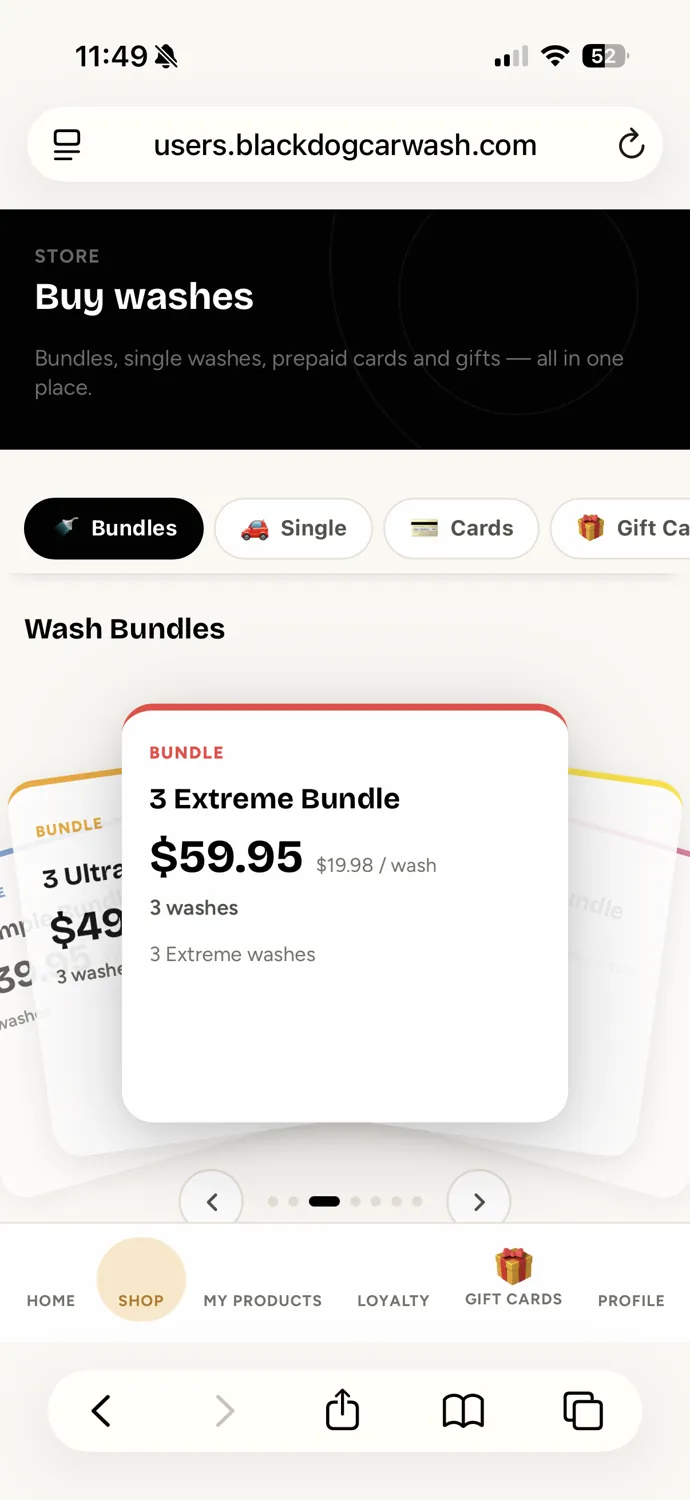
- Open the ShopIn the Black Dog app, tap Shop at the bottom. Make sure Bundles is selected.
- Choose Your BundleSwipe through the available wash bundles using the arrows or by swiping the cards. Compare the wash count and price, then choose the bundle you want.
- Tap BuyTap the black Buy button below your selected bundle. In this example, we’re buying 3 Ultra washes for $49.95.
- Review Your OrderCheck your selected bundle, total, and email address. If you have a promo code, enter it and tap Apply. Saving a card is optional.
- Continue to Secure PaymentWhen everything looks right, tap Pay $49.95 to proceed to the secure payment screen. Payment and confirmation screenshots are coming soon; we’ll add those steps once available.
Screens are examples. The payment and purchase-confirmation steps will be added when available. Questions? info@blackdogcarwash.com
Still need a hand?
Our team is happy to help you get back to a clean car.