
How to Add Black Dog to Your iPhone Home Screen
Keep your kiosk pass one tap away. Follow these steps in Safari on your iPhone.
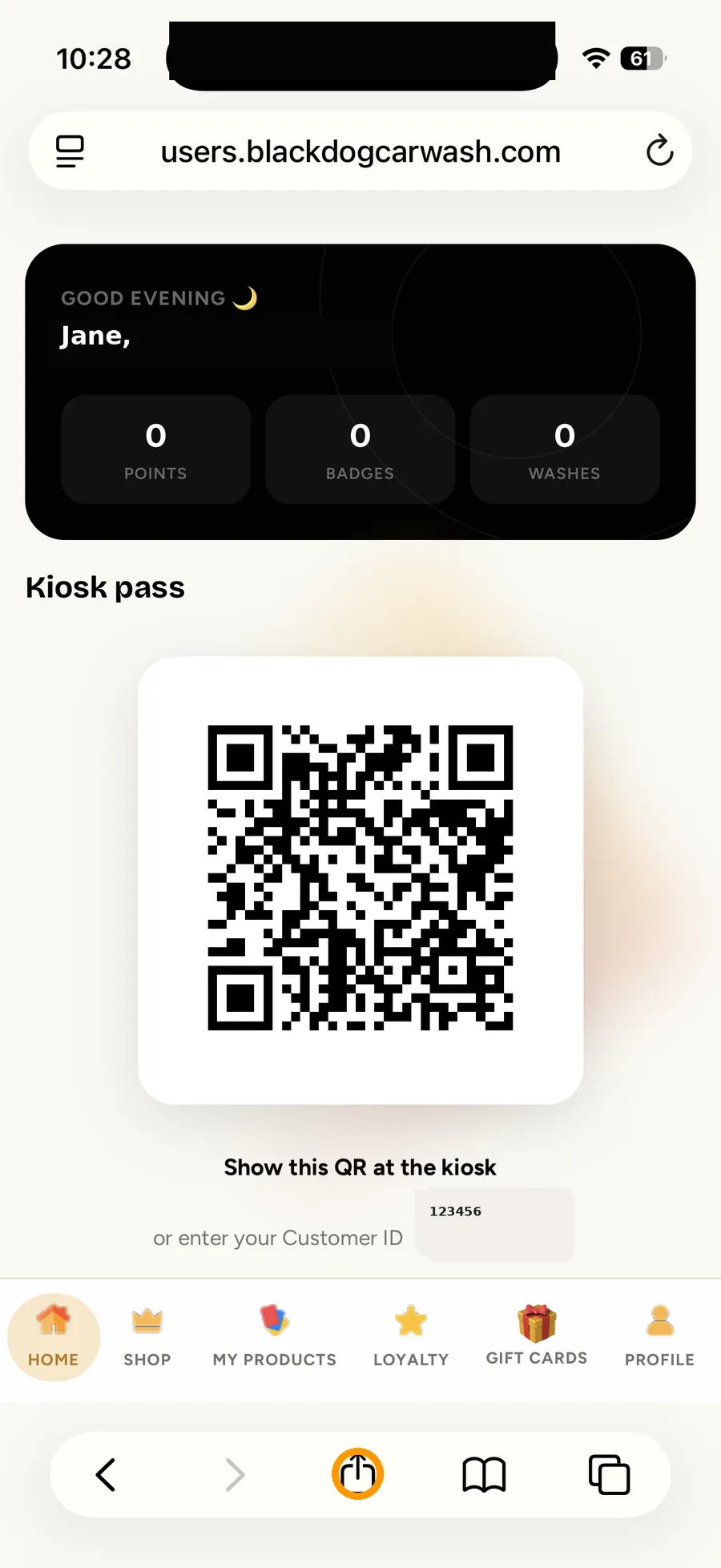
All the steps
- Open your account and tap ShareIn Safari, open users.blackdogcarwash.com and tap the circled Share icon at the bottom.
- Select Add to Home ScreenIn the Share menu, scroll down and choose Add to Home Screen.
- Confirm the shortcutKeep the name BlackDog Car Wash, then tap Add in the upper-right corner.
- Find your Black Dog shortcutThe new BlackDog Car Wash icon appears on your Home Screen alongside your other apps.
- Open your kiosk pass anytimeTap your Black Dog shortcut whenever you need to see your kiosk pass. This example uses a nonfunctional demo QR code.
Screens use demonstration details. Questions? info@blackdogcarwash.com
Still need a hand?
Our team is happy to help you get back to a clean car.